
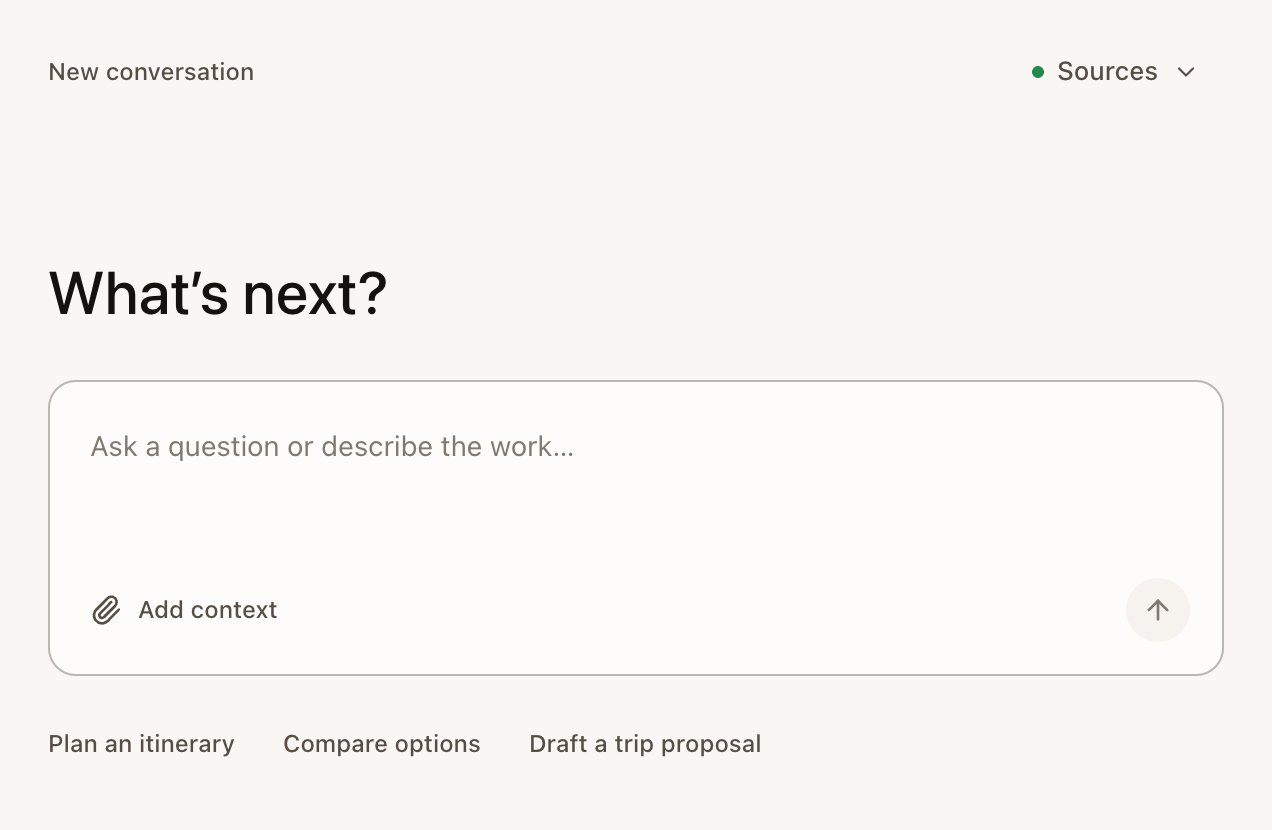
What the track changes
- Echo Agent suggests Plan an itinerary, Compare options and Draft a trip proposal.
- Echo Agent knows you work as a travel advisor, so it frames answers for planning trips for clients.
- Current default Meeting Types include General meeting, Trip consultation and Itinerary review. Your existing customized or used types stay available. See Meeting Types.
Elena Novak’s Japan trip
This example follows Sam Carter planning a Japan trip for Elena Novak and her family. Sam and Elena are invented.1
Consultation
Sam can record a consultation with Echo or start from written client details. For a recorded consultation, Sam tells Elena that Echo is taking notes with an AI assistant, then starts capture. See Your first meeting.
2
Trip brief and preferences
AI Notes can become a trip brief with travelers, dates, budget, interests, open questions, and next steps. Elena’s preferences can help later client work. See Review AI Notes and Contacts.
3
Proposal draft
Sam asks Echo Agent to draft a proposal from the supplied details. Echo returns a document for Sam to review, check, and download. See Plan trips with Echo Agent.
4
Follow-up
Sam checks prices, schedules, and availability with suppliers before sending anything to Elena. Echo drafts. The advisor checks, books, and sends.
Features by stage
Optional setup for consultations
Make a Trip consultation Meeting Type
Echo doesn’t include a travel Meeting Type. Creating one takes a couple of minutes:- Open Settings › Meeting types and select New.
- Name it “Trip consultation” and pick Remote or In-person as the default.
- Switch on Checklist and add your Rubric items, for example:
- Under How Echo writes the wrap, describe your trip brief. For example: “Write the notes as a trip brief with sections for Travelers, Dates, Destinations, Budget, Preferences, Must-dos, Open questions and Next steps. Use the client’s own words for preferences.”
- Select Save meeting type.
Add your standard answers
Clients ask the same questions: cancellation terms, your planning fee, travel insurance. Switch on FAQ Answers for the Meeting Type and add your approved answers with Import Q/A document, and Echo shows the right answer word for word when the question comes up. See Meeting Types.A consultation, start to finish
Use Plan trips with Echo Agent first if you only need a proposal draft. Come back to the Trip consultation Meeting Type when you want repeated consultation notes to follow your structure.In person
For consultations in your office or over coffee, use the phone app’s Take notes, or choose In person in desktop setup. See Echo on your phone.Echo Agent prompts to copy
Use these inside Echo Agent. External AI apps use MCP through Use Echo in other AI apps.Use Echo in other AI apps
Connect an external AI agent through MCP when you want that agent to read approved Echo Meetings.
Plan trips with Echo Agent
Draft proposals, compare options, and download client-ready files for review.
Tell clients you’re taking notes with an AI assistant. Echo doesn’t notify them for you.