
Find someone
Open Contacts in the sidebar. Switch between People and Companies, or search by name, company or email. Three views help you decide who needs attention:Read a record
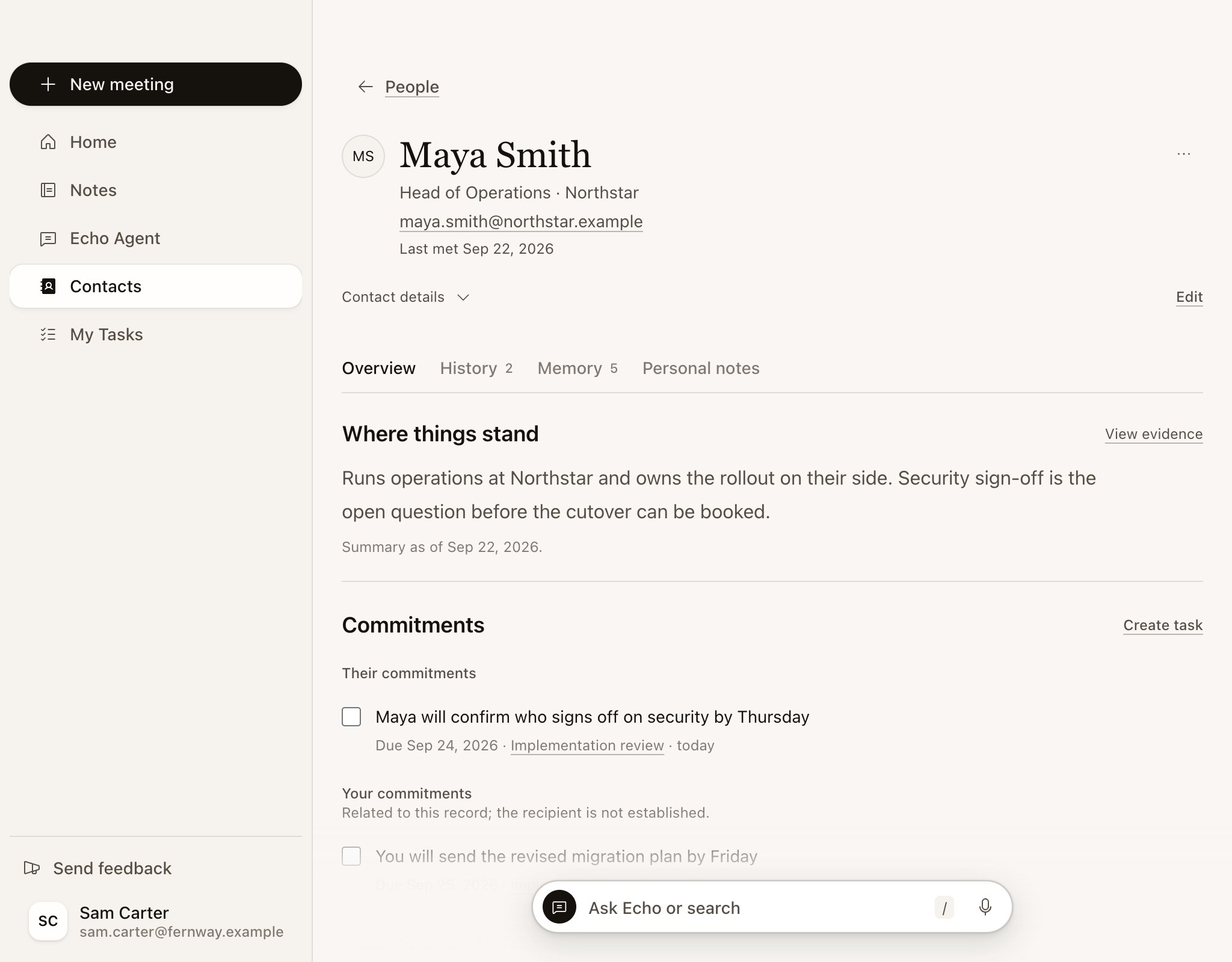
Select a contact to see their record.
A company record has People, everyone you’ve met from that company, and no Personal notes.
Act on it
- Draft follow-up opens Echo Agent with a follow-up email request about this person, based on your latest meeting and open commitments.
- Ask Echo opens Echo Agent with a question about your history with them.
- Create task adds a task related to this person to My Tasks, with an optional due date.
- Mark a commitment done from the record when it’s been delivered.
Fix a record
- Edit contact details adds email addresses, LinkedIn, a website, a time zone or other names. If a record has no email yet, you can link it to a calendar attendee.
- If Echo made two records for the same person, select Merge contacts and choose the record to keep. Merging can’t be undone.
- To have Echo forget something, remove a single fact from Memory, or select Forget person (Forget record on a company) to remove everything it remembers about them.