Create an Organization
- Open Settings › Organization.
- Enter an Organization name and select Create Organization. You become its owner.
- Owners and admins: type the email of a teammate who already uses Echo and select Invite. They accept from Invitations to you in their own Settings, or from their Inbox.
Roles
Teams
Group people into Teams, for example “Recruiting” and “Sales”, so a meeting can be shared with the right group at once.Default sharing
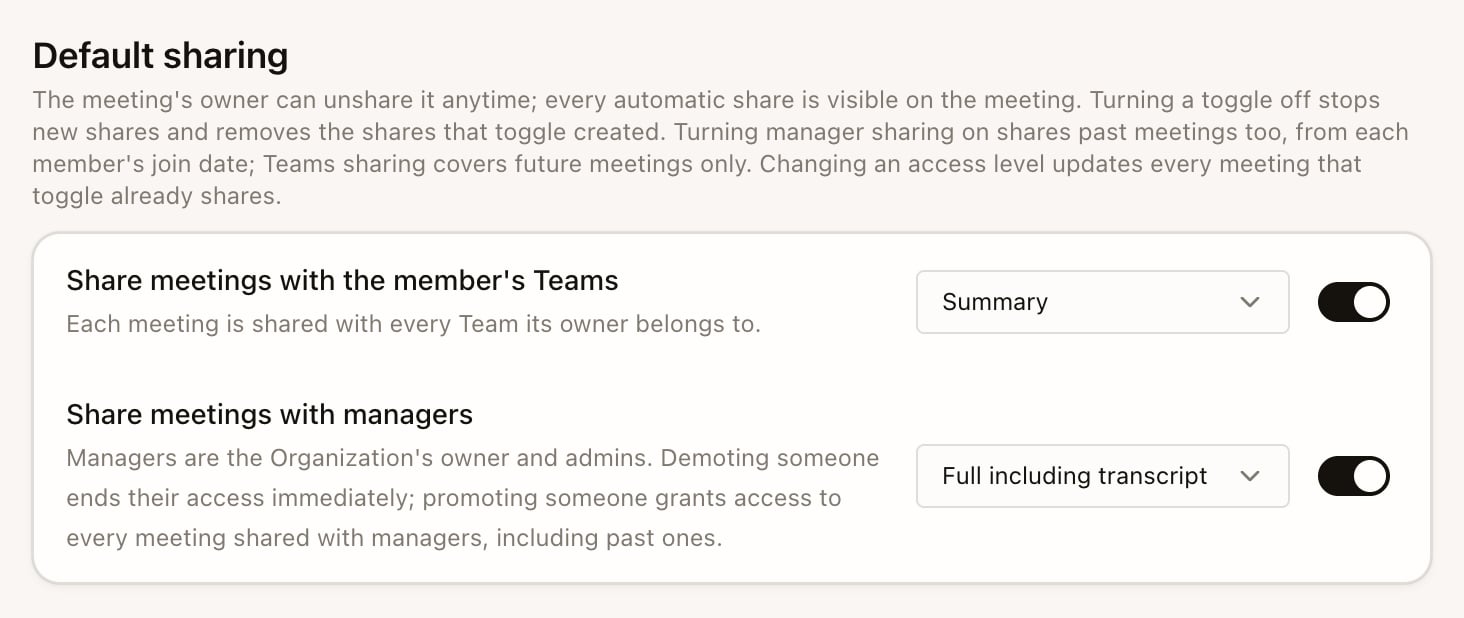
Owners and admins can have finished meetings shared automatically:- Share meetings with the member’s Teams: each meeting is shared with every Team its owner belongs to, from the moment you turn it on.
- Share meetings with managers: each meeting is shared with the owner and admins. Turning it on also covers past meetings, back to when each person joined. Promoting someone to admin gives them the shared history; demoting them removes it immediately.