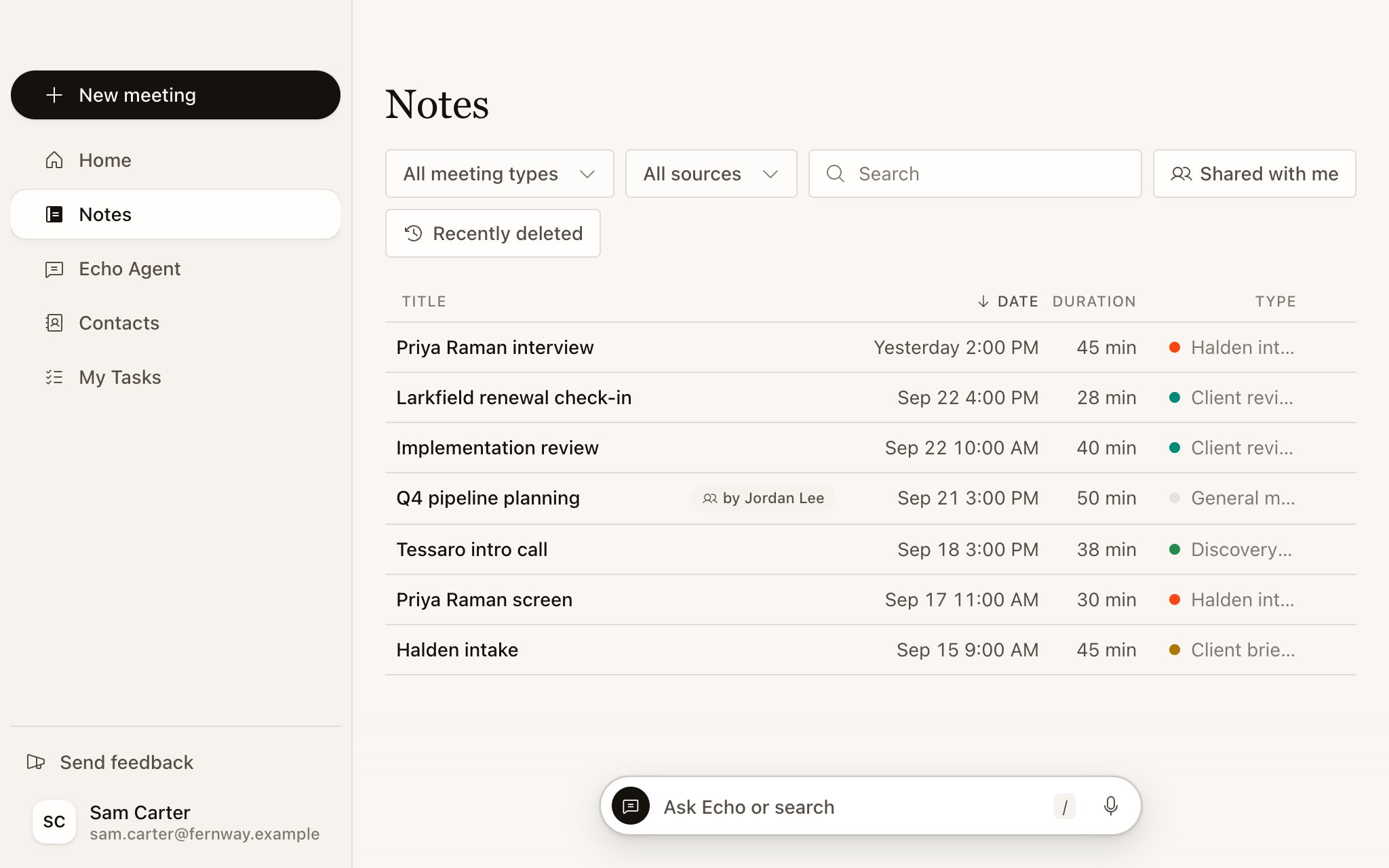
Notes in the sidebar lists every meeting you’ve recorded or imported, plus meetings shared with you, marked with who shared them. Newest come first.
Echo's Notes list with its search and filters, the Shared with me and Recently deleted links, and the recent Northstar, Halden and Tessaro meetings.

Search and filter

  • Type in Search to find a meeting. Press / in Echo’s main window to jump to Search meetings.
  • Filter by Meeting Type with All meeting types, or by source: Recorded or Imported.
  • Select Load more at the bottom for older meetings. When you come back from a meeting, your filters are still set.
To find something said in a meeting rather than the meeting itself, ask Echo Agent: “When did Maya first mention the security review?” See What you can ask.

Rename a meeting

Echo names a meeting after its calendar event, or after its topic when there’s no event. Select the title on the meeting’s page to rename it. Once you rename a meeting, Echo won’t change the name again.

Recently deleted

Meetings you move to trash stay in Recently deleted for 30 days, then Echo deletes them permanently. Open it from the Notes list and select Restore on a meeting, or select Empty trash to delete them now. A meeting in the trash doesn’t appear in briefs, search or Echo Agent’s answers. Restoring it brings it back everywhere.